Hi bloggers!
As you know,
this Saturday 23 April is the World Book Day. Because of that, our new mission
is related with this special day.
For this
challenge we were asked to present one of our favourite books creating a
collage and then, add a clip to the picture using Aurasma.
To begin with, I
used the web tool called Canva to create the poster. You may ask why, and I
will tell you that, as you know if you read my previous posts, we made a
tutorial explaining how to use this tool, so I put into practice what I knew
about it!
Here you have the tutorial if you do not remember it, and also in the following link: http://www.genial.ly/View/Index/5712001b1561e807349c6fa0
Canva is a great tool as it allows you to create nice posters using your own pictures. The main problem of this tool, from my point of view, is that many of the resources provided are not free. Anyway, it offers many facilities to use and create very visual posters. Here is the process of mine, do you like it?
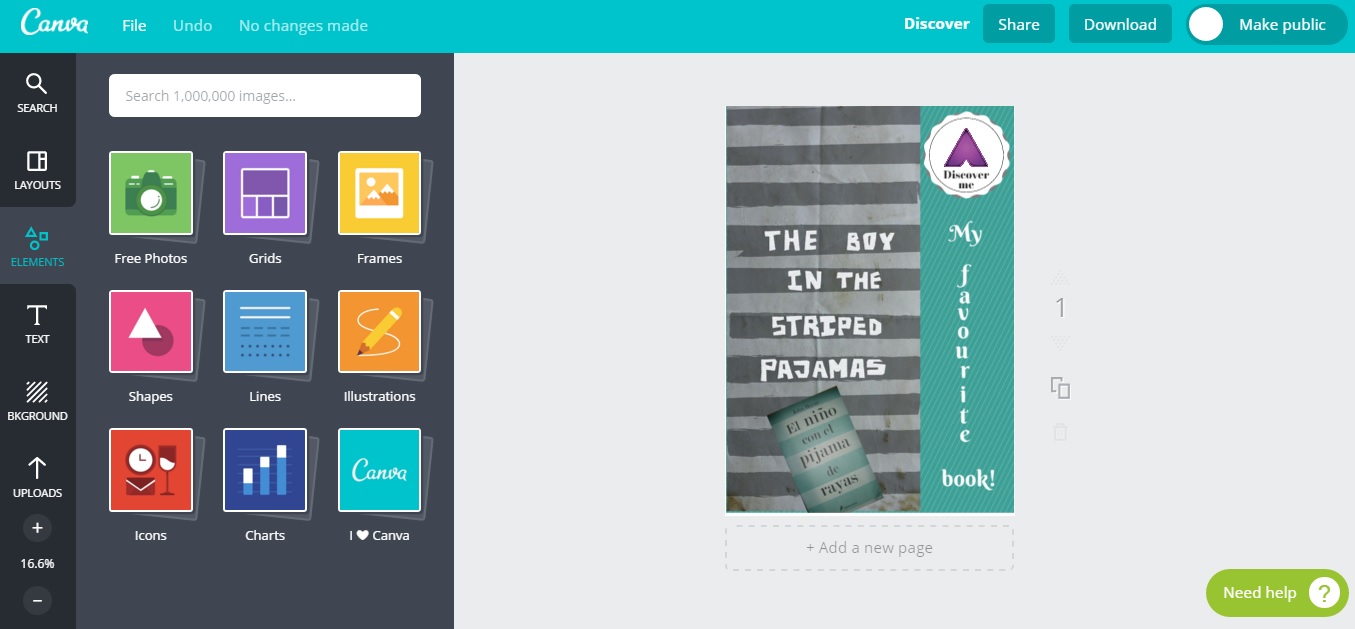
The next step
was to create a clip explaining what sort of books I like, the features that
define me as a reader and finally, why the book chosen is my favourite one. In
order to do it, I used Movie Maker adding different pictures, respecting, of
course the copyright. All the images used are free of it.
Related with
Movie Maker, I have to say that I love this tool! It is very intuitive, easy
and varied. It allows you to personalised and create your own videos in a few
minutes, using many different tools to modify it. It also offers the
possibility to add more videos, podcasts, pictures, songs… Thanks to that, you
can design your creation however you want! You do not need to follow a template
already done as it happens with other tools.
I uploaded the
video to the blog for those who may have problems using Aurasma:
Finally, I downloaded
Aurasma app to my mobile phone in order to create an account. Do you know what is it? I have to say
that I have never heard about Aurasma before my classmates Álvaro, Neus and
Marta created a tutorial about this app. Thanks to them I could learn how it
works so as to use it in this new challenge.
You can watch
their great tutorial if you click here or in the following link: https://www.youtube.com/watch?v=T1CWdit80hU&feature=youtu.be
After using
Aurasma I realised that it is a great tool in the sense that it makes possible
to bring back to life a simple picture or image. It is incredible! Using this
app you can convert a creation in 3D in a very easy way, and that amazed me.
Here you have my final task, discover more using Aurasma!

Moreover, the
rest of my classmates did also this task and we shared all of them in a
collaborative board called “A Wall of Books” in Pinterest. If you want to have
a look at them, just click here or
visit the following link: https://es.pinterest.com/mjgsm/a-wall-of-books/ Or, if you prefer, click here and see only my pin!
Sigue el tablero A Wall of Books de Mª Jesús en Pinterest.
Sigue el tablero A Wall of Books de Mª Jesús en Pinterest.
And… that’s all
for today! Thanks for reading!
Raquel


